
Audio Translator
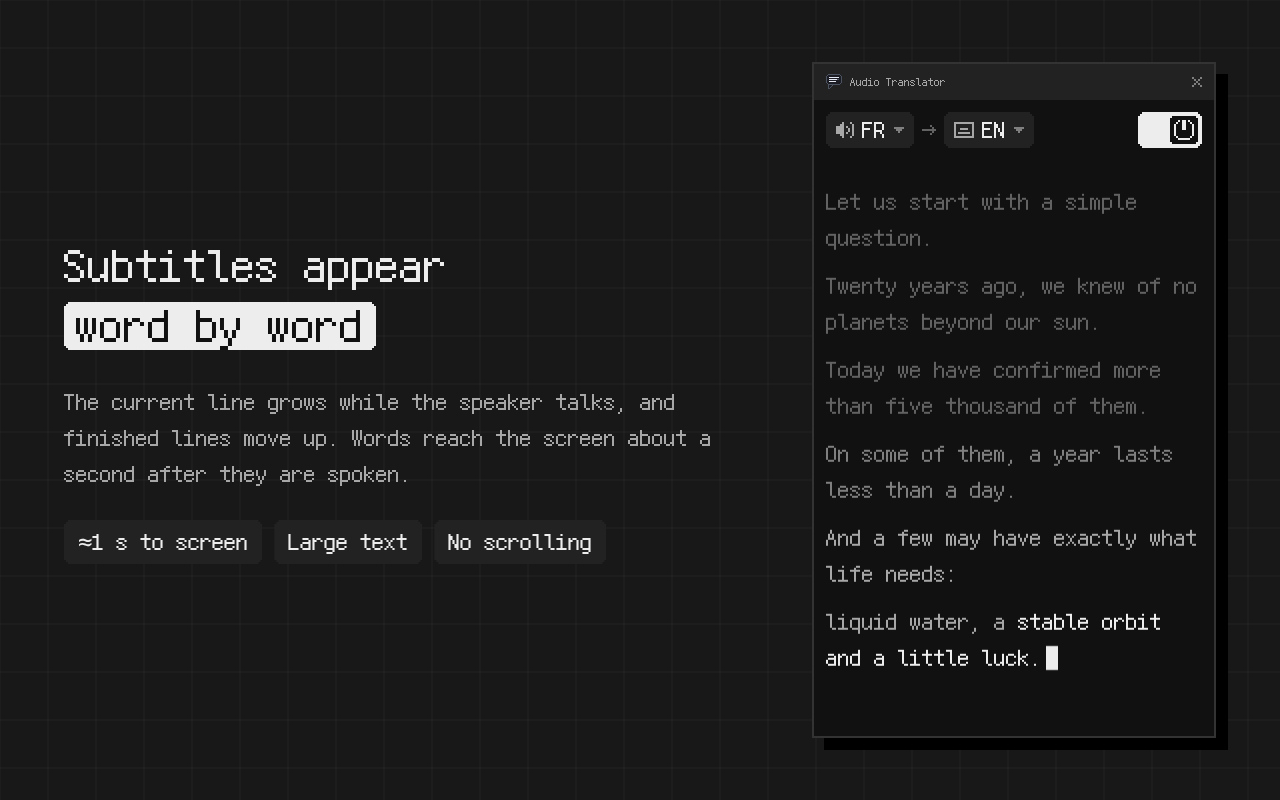
Real-time translation of audio from any browser tab, as subtitles in your language. Play anything with sound, click the extension icon on that tab, and each phrase is translated about a second after it's said.
Works in the browser on  YouTube
  Twitch
  Google Meet
  Zoom
Zoom  Microsoft Teams
- Real time. Subtitles follow the speaker, about a second behind.
- On your computer. It can run entirely on your machine, with no waiting on a server.
- Live and recorded. Videos, live streams and calls, in 33 spoken languages.
Browser version: Audio Translator on the Chrome Web Store. For your phone: Android app on Google Play.
[03:12] El equipo revisó los datos durante toda la noche.
[03:12] The team went through the data all night.
[03:17] Mañana sabremos si el lanzamiento sigue en pie.
[03:17] Tomorrow we will know if the launch is still on.
How to translate audio in Chrome
- Open the tab with the sound.
- Click the Audio Translator icon on that tab.
- Pick the language people speak, or leave it on Auto, and the language you read.
Subtitles sit on top of the page, so you can watch and read at once. The side panel keeps everything said so far, with the original line above each translation if you want it there.
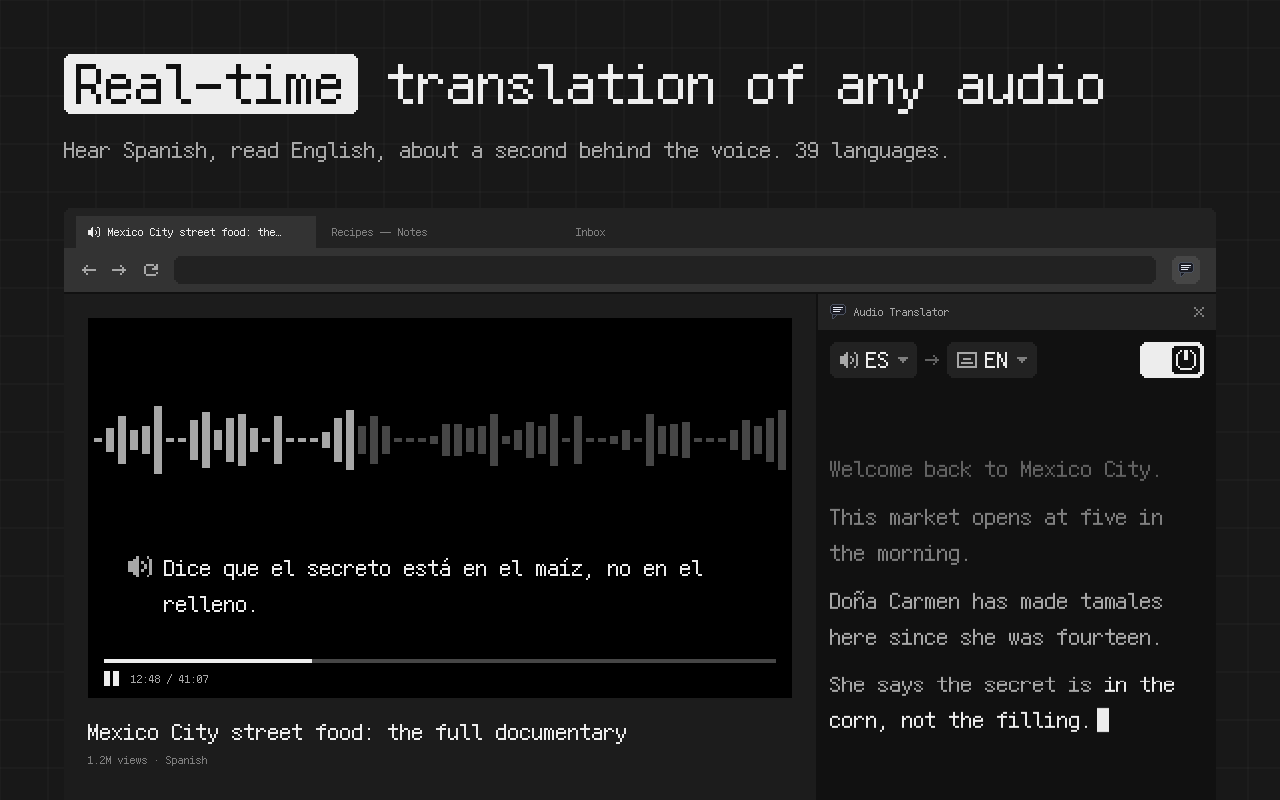
Real-time audio translation on your computer
Most online audio translators send the sound off to a server and show you text when the answer comes back. That round trip is time you spend watching a speaker whose words haven't arrived yet.
This extension can do the whole job on your computer instead. When it runs locally, nothing waits on a server, so the subtitles stay about a second behind the voice, close enough to follow a conversation, a joke or a live Q&A as it happens. The audio doesn't have to go anywhere either.
Translate a YouTube video
Most people start here. A video has no subtitles in your language, or only auto-generated ones in the original. Start the video, click the icon, and the translation appears as the speaker goes.
It's handy for new uploads, interviews, vlogs and old lectures nobody got around to subtitling. If a video already has good subtitles in your language, just use those.
Translate a live stream
A live stream has no file to upload, so file-based translators can't help with it. Here it's just another tab: Twitch, YouTube Live, a news channel's own player or a conference stream, with subtitles that keep up with the speaker.
When the stream buffers, the subtitles wait for it.
Translate audio to English
Leave the spoken language on Auto or set it to the one in the video, choose English for the subtitles, and click the icon on the tab.
Japanese to English, Korean to English, Spanish to English, plus French, German, Russian, Hindi, Arabic and the rest of the list below all work this way. An English video can go the other way too, into any of the 39 subtitle languages.
Audio to text without translating
Not every video needs a translation. Set the spoken language and the subtitle language to the same one and you get plain captions in the original language, handy for a fast speaker or an accent you find hard to follow.
With Autosave on, the same text goes into a .txt file in Downloads/audio-translator, with a [mm:ss] timestamp on every line. Copy transcript puts it all on the clipboard.
Translate calls in Google Meet, Zoom or Microsoft Teams
A video call in the browser is a tab like any other. Click the icon on the call tab and you read the other participants in your language. Zoom and Microsoft Teams both have a "join from your browser" option on the meeting page. The desktop apps aren't captured, only the call tab. There's more on calls on the meeting transcription page.
Translate an audio file or recording
Anything that plays in a browser tab can be translated: a file in Google Drive or Dropbox, a podcast episode on its website, a lecture on your university's video portal. Press play, click the icon and keep the tab playing.
It goes at the speed of playback, so a 40-minute recording takes 40 minutes. With Autosave on, the translated text is written to Downloads/audio-translator as it plays, and you end up with a text file of the whole thing.
Real-time speech translation vs. upload tools
Many sites that come up for "audio translator" work with files. You upload an mp3, wait, and get back a translated transcript or a dubbed voice. That's fine when you have a file and no hurry.
| This extension | Upload tools | |
|---|---|---|
| Input | Anything playing in a browser tab, live or recorded | An audio or video file |
| Live streams and calls | Yes | Usually not |
| When you see text | About a second after it's said | After the whole file is processed |
| Output | Subtitles, plus a .txt file if you want | Transcript, subtitle file, often a dubbed voice |
| Where it runs | Can run entirely on your computer | Their servers |
Sites that call themselves a voice translator or speech translator are a third kind: they listen to your microphone and translate what you say. This one translates what you hear in the tab.
How accurate it is
Before a release, the subtitles for an English test video are compared with ones a person typed. About 95 words in 100 come out the same, close to the 96 that YouTube's automatic captions score on that video. That number is for English speech recognition. Other languages get their own checks.
If you know a little of the original language, keep Original text on in the settings. Each translation then has the source line above it, so you can check a name or a number at a glance.
Languages and pairs
Speech in 33 languages:
English, Arabic, Bulgarian, Chinese, Croatian, Czech, Danish, Dutch, Finnish, French, German, Greek, Hebrew, Hindi, Hungarian, Italian, Japanese, Korean, Lithuanian, Norwegian (Bokmål and Nynorsk), Polish, Portuguese, Romanian, Russian, Slovak, Slovenian, Spanish, Swedish, Thai, Turkish, Ukrainian, Vietnamese.
Subtitles in 39 languages: the same list, with Norwegian counted once, plus Bengali, Indonesian, Kannada, Marathi, Tamil, Telugu and Traditional Chinese.
Any spoken language can go into any subtitle language. German to French works too, not only German to English.
On your phone
The main version is the browser extension on the Chrome Web Store. There's an Android app as well, Audio Translator on Google Play. It shows the subtitles in a small window on top of whatever app is playing, and you can move and resize it with your fingers.
Who makes it
One independent developer builds and tests it. Current version: 0.8.15, October 2026. If a language pair works badly for you, say so through the contact form. Reviews from other users are on the Chrome Web Store.
Audio translator FAQ
Does it translate my microphone?
No. It translates what plays in the tab, not what you say.
Why does it ask to download something the first time?
Each new language pair needs a translation pack. It downloads once, and next time that pair starts right away.
Will it work on a video that already has subtitles?
Yes. It listens to the sound and ignores the subtitles on the page.
Do I need to know which language is spoken?
No. Leave it on Auto and it works it out from the first few words.
Can I make the subtitles bigger?
Yes. There are 16 text sizes, from 12 to 96 px.
Can I save the translation?
Yes. Turn on Autosave and each session goes into a text file in Downloads, or use Copy transcript.
Does the audio get uploaded anywhere?
It doesn't have to. The extension can run entirely on your computer.
Does it work in browsers other than Chrome?
Yes, in Chromium-based browsers. On Android there's a separate app on Google Play.
Can I get a transcript without translation?
Yes. Set the spoken language and the subtitle language to the same one and you get plain text in the original language.
Works in Chrome and other Chromium-based browsers on Windows, Mac, Linux and ChromeOS.
Add to ChromeThe browser extension is the main version. On Android: Audio Translator on Google Play.